Choose a power bank, a DC camping battery or a solar panel for trips from Vancouver. Three researched options, with ports, practical uses and clear limits.
BC camping · Thoughtful gear choices
Power banks, camping batteries and solar panels — choose for the trip you are actually taking.
By FanVancouver · Research reviewed
A phone has a busy day in Vancouver: maps on the way to the ferry, a camera at the waterfront, then directions back after dark. At a campsite, there may also be a lantern, camera battery or laptop to charge. The useful question is how much power your own trip needs, and how you will carry it.
Start with the devices you already own. A fully charged phone, the right cable and a smaller battery pack may cover a day in the city. A weekend beside your car creates a different choice. You have room for more stored energy, but should still check the ports and the appliances you actually intend to use.
Choose by the job
Your trip
Start here
Check first
A day with a phone
Your existing suitable small USB pack
Charging protocol, cable and carry weight
A laptop and a longer working day
A larger USB power bank
Your laptop input and the output per port
Several USB devices at a car-supported camp
A small DC power station
Energy capacity, ports and compatible chargers
A stationary camp with useful sunlight
A panel alongside a stored-energy plan
Output ports, shade and power after sunset
A solar panel produces energy when conditions allow. A charged battery stores energy you can use later. That difference matters more than the number on the front of the box.
Phone-only day trips: start smaller
A phone used for photos, maps and return-trip directions may need a top-up, but it does not automatically need a laptop-sized battery. If the power bank you own already covers the day, bring it and its cable. The 25,000mAh model below is for the laptop scenario; its extra capacity is not the starting point for every day bag.
Match the cable to your phone.
Check both ends, including any Lightning connection, and test the combination before leaving.
Check shared output.
A headline wattage is not a promise for every phone. Confirm the charging standard your phone supports and the combined output if you connect several devices.
Keep the return plan usable offline.
Save your destination address and key connections before leaving; check service changes while you have a connection. A power bank does not add mobile coverage.
Shopping in the United States? See a compact phone option
Amazon.com · United States shopping option
INIU Mini 10K phone power bank
For a day of photos, maps and messages when you want a phone top-up without carrying a laptop-sized battery.
INIU · P50 listing
Product photograph unavailable. View the exact model in the listing.
A phone-only day out
A smaller wired top-up
Listing specifications10,000mAh nominal capacity · up to 45W USB-C output · detachable USB-C cable
Bring it for
A wired phone top-up on a city day out. Check the cable ends and your phone’s charging protocol before packing.
Know the limit
45W is a maximum, not every phone’s charging speed. Check shared output before connecting several devices. No water-resistance rating has been verified.
United States storefront. Check current seller, delivery destination, bundle and returns.
Affiliate link · FanVancouver may earn a commission.
The Amazon.com listing identifies this as the P50 model. It is an optional US shopping choice; Canadian delivery, returns and landed cost must be checked in the listing. If a power bank you already own covers the day, keep using it.
Consider this model when your bag includes a compatible laptop as well as a phone. The built-in cables can reduce the loose leads you need to find between stops.
Anker · A1695
Product photograph unavailable. View the exact model in the listing.
Choose for your trip
A larger reserve for a laptop day
Manufacturer specifications25,000mAh nominal capacity. Up to 165W combined for two devices; 130W for three or four.
Bring it for
A working day away from sockets, with a compatible USB-C laptop and phone.
Know the limit
A larger pack is not automatically the best carry for a phone-only walk. Check your laptop input and the output available from each port.
Keep the pack out of rain and snow; follow its temperature limits.
Affiliate link · FanVancouver may earn a commission.
Write down what you will actually charge. A camera may need a separate battery charger, a lantern may accept USB, and a radio may require a proprietary dock. Ports only help when your devices can use them.
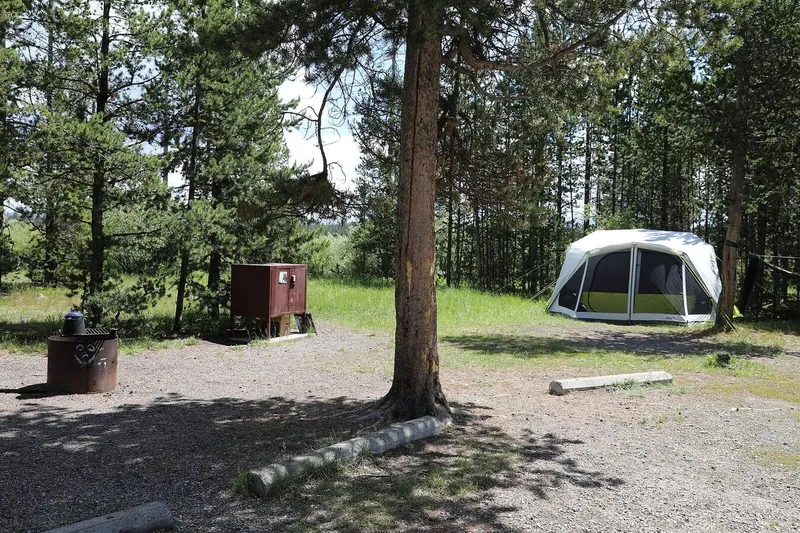
A foldable panel makes most sense when you can position it in useful sunlight while you remain at camp. An open pitch offers a different opportunity from a shaded forest site.
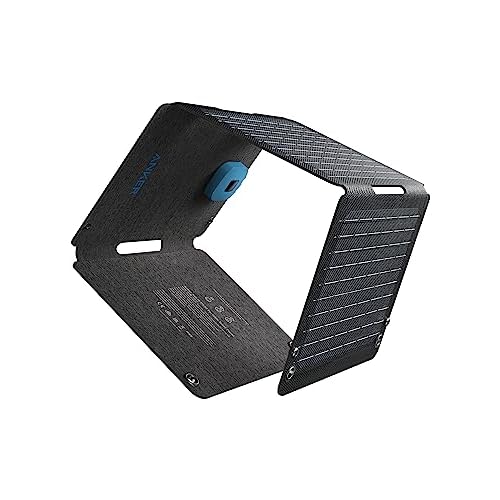
Anker SOLIX · PS30 / A2426
Product photograph unavailable. View the exact model in the listing.
Choose for your trip
Solar when you can stop in useful sunlight
Manufacturer specifications30W peak panel rating; about 1.1kg. USB-C: 5V/3A (up to 15W). USB-A: 5V/2.4A.
Bring it for
A stationary camp with direct sunlight and an energy plan for after sunset.
Know the limit
The 30W panel rating is not 30W USB-C charging. Shade, angle and light affect available power; the panel itself is not a charged battery.
Keep connected phones and tablets out of direct sunlight, as the manual directs.
Affiliate link · FanVancouver may earn a commission.
For a short outing, compare the weight and variable sunlight with carrying a battery charged at home. Check both manuals before pairing a panel with a charging device; connector shape alone does not establish compatibility.
A USB-C-shaped port does not establish every charging capability. Read the input requirements of the device, the output specifications of the source and the cable rating.
Separate watts from energy
Watts describe the power available at a moment; watt-hours describe stored energy. Real runtime also depends on the load and conversion losses. A nominal capacity is not a promise of a fixed number of phone charges.
Look at your own packing list
Something that is easy to move from the car to a picnic table may be awkward to carry for several hours. Choose around the distance you will walk with it.
Try the complete setup at home
Connect the devices and cables you plan to take while there is still time to find a missing lead or incompatible charger. Follow the temperature and use limits in each manual.
Make a travel plan as well as a charging plan
Extra battery power cannot create mobile coverage. AdventureSmart recommends trip planning, training and carrying the essentials. Share your trip plan, take a separate light and navigation aids, and check conditions for the outing.
For a city outing, begin with the smallest suitable charging setup you already own. Move to a larger USB pack when the laptop or longer day justifies it. Consider a DC station when your camp has several compatible devices, and a panel when the location and duration make sunlight useful.
Questions before you pack
Do I need a solar panel for a day trip?
For a short outing, compare the weight and variable sunlight with a battery charged at home. A suitable small power bank may be the more practical starting point. A panel needs useful light and does not store power for after sunset.
Can a camping battery power any appliance?
Check the exact output sockets, power limits and the appliance input. The Explorer 240D in this guide is DC-only and has no household AC socket. A camera charger or radio dock may need a different connection.
Can extra battery power help when there is no signal?
It can keep a compatible device charged, but cannot create mobile coverage. Plan the route, carry suitable navigation and communication tools, and leave a trip plan.
How we researched this guide
We compared manufacturer specifications with the exact Canadian listings. This is a research-based comparison; we have not field-tested these products. We selected these Canadian model listings for distinct uses. We do not give a measured runtime or a ranking based on tests we have not performed. Current price, seller, bundle and returns are shown in the listing.